
When starting out with SQL Server, it’s important to focus on learning the basics to avoid getting bogged down with detail but there comes a time when knowing about the internals of a database page can be useful. Lets have a look at how SQL Server groups database pages and what they actually contain.
What is a database page?
In SQL Server, data is stored in tables. Behind the scenes, however, these tables are divided into 8-kilobyte (8 KB) units called pages. Each page is 8,192 bytes in size, and this is a fixed value that cannot be changed.
Out of the 8,192 bytes, the first 96 bytes are reserved for the page header, which stores metadata about the page. This leaves 8,096 bytes for storing rows of data. However, a single row can only use up to 8,060 bytes, as 36 bytes are reserved for additional metadata, such as the slot array, versioning tags, and forwarded record pointers.
Although 8 KB is a small amount of data by today’s standards, SQL Server handles these pages seamlessly. A single table may consist of thousands or even millions of pages, but users typically don’t need to interact with this complexity directly.
How database pages are grouped
In SQL Server, pages are grouped into units called extents, with each extent containing up to 8 pages. These extents are stored in files, which are further organized into filegroups.
By default, most databases use a single filegroup named PRIMARY, which typically contains one data file. However, it’s possible to create multiple filegroups, each containing multiple files. This approach can offer various benefits, such as improved performance and better organisation, though that’s a topic for another blog post.
Here’s an example of how pages are distributed across multiple filegroups, files, and extents:

How to inspect a database page
To examine the contents of a database page, you first need to determine its physical location on disk. This can be achieved using a T-SQL query. Below, I’ll demonstrate two methods for finding the physical location of a specific row.
For this example, I’ll be using the Posts table from the 2010 Stack Overflow database, focusing on the row with ID 1005.
					SELECT p.Id,
	%%PHYSLOC%% AS PhysLocHex,
	sys.fn_PhysLocFormatter(%%physloc%%) AS PhysLocFormatted
FROM dbo.Posts p
WHERE p.Id = 1005;

SELECT p.Id,
	l.*
FROM dbo.Posts p
CROSS APPLY	fn_physloccracker (%%physloc%%) l
WHERE p.Id = 1005;
The first method uses the hidden %%physloc%% value to show us the physical location of the row in hexadecimal format. This is hard to read so instead we can use the sys.fn_PhysLocFormatter function to break it down into file id, page id and slot id.
The second method is similar but uses the fn_physloccracker function to show the file id, page id and slot id as individual columns.

SQL Server knows the Posts table is in our PRIMARY file group and the results above show it’s in file 1, page 176371. The specific row we’re looking for is in slot 2 on that page.
With the necessary information in hand, we can now examine the contents of the database page. To do this, we’ll use the DBCC PAGE command. However, to view the output, we first need to enable trace flag 3604.
Without the trace flag enabled, the query will execute without errors but won’t return any results. By enabling the flag, we can see the page details in the output.
					DBCC TRACEON(3604);
DBCC PAGE ('StackOverflow2010', 1, 176371, 1);
DBCC TRACEOFF(3604);

/*
dbcc page ( {'dbname' | dbid}, filenum, pagenum [, printopt={0|1|2|3} ])

print options:

0 - print just the page header
1 - page header plus per-row hex dumps and a dump of the page slot array (unless its a page that doesn't have one, like allocation bitmaps)
2 - page header plus whole page hex dump
3 - page header plus detailed per-row interpretation
*/
Interpreting the results
The DBCC PAGE output is split into multiple sections as follows:
The Buffer section shows information about how this page is linked to SQL Server’s buffer pool.

The Page Header sections shows information about the page and how it links to other pages. This is getting deep into SQL Server storage internals so we don’t need to spend time examining all of this right now.

The Data section is where the actual rows are stored. We’re looking for slot 2 so I’ve only shown that part here. As you can see, it’s not easy to read and I wouldn’t expect many people to have to dig around in here as part of their job but if you you want to get geeky about storage internals then have a look for yourself.

Finally, at the end of the page, we have the Offset Table also know as the slot array which tells us where each slot is stored in the page.

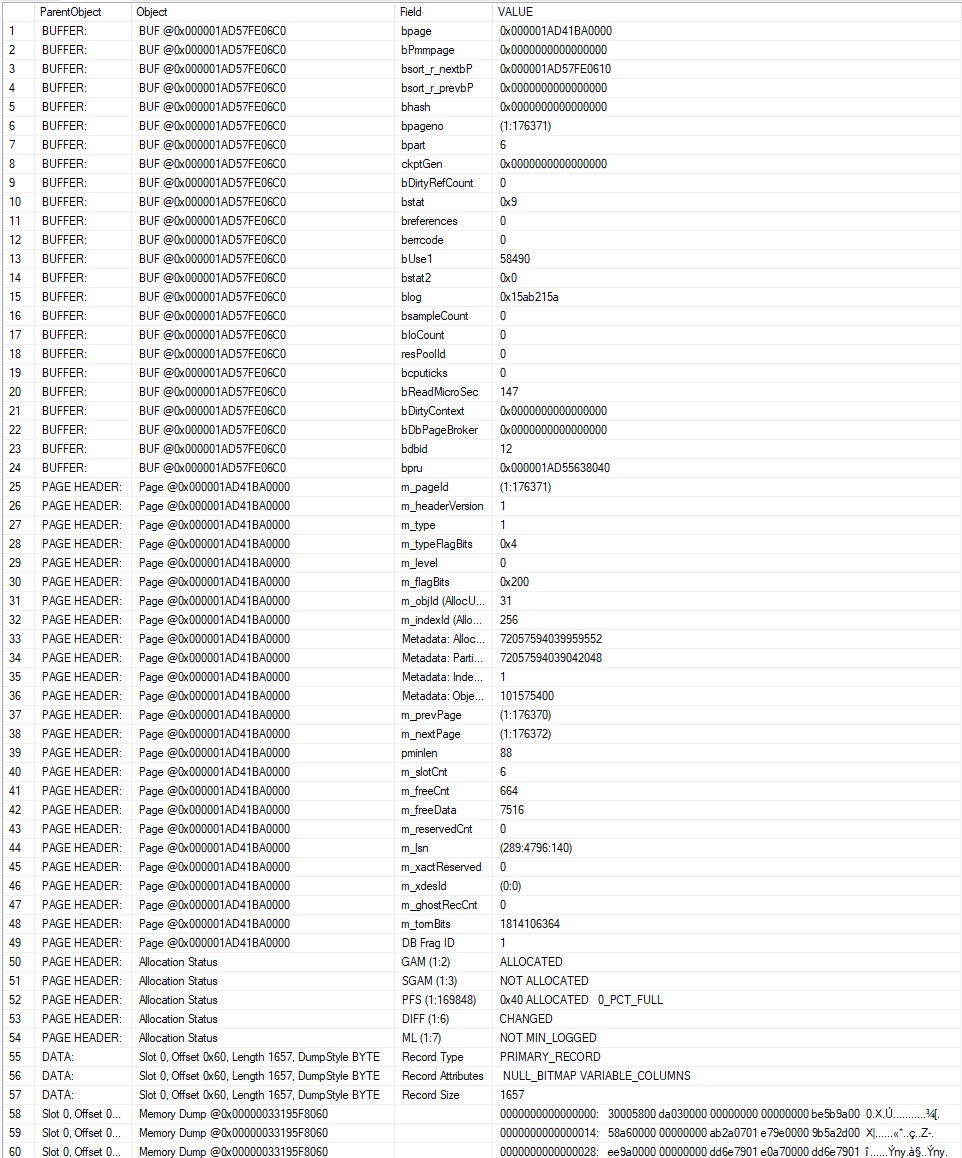
DBCC PAGE also has an undocumented feature where we can output this information in table format in case we need to do some clever querying with it.
DBCC PAGE (N'StackOverflow2010', 1, 176371, 1) WITH TABLERESULTS;
What did we learn?
The main takeaway is that understanding database page internals can be challenging, but it’s reassuring to know that SQL Server provides the tools to examine them when needed. There are sometimes occasions where this knowledge can be invaluable for troubleshooting, optimising performance, or simply gaining a deeper understanding of how SQL Server works behind the scenes.